



Freecell – Play Online for Free
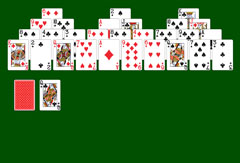
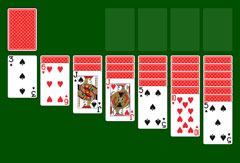
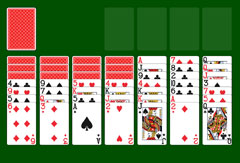
Freecell is a popular solitaire card game that you can play here for free, directly online. Unlike most solitaire games, all cards are face up from the very start, making every game highly strategic and accessible to players of all levels.
Together with Solitaire and Spider Solitaire, Freecell is one of the most widely played card games in the world. Its pre-installation on Windows contributed greatly to its popularity. Difficulty depends primarily on the card shuffle: when Aces and low cards are buried at the bottom of columns, the game becomes more demanding. Several difficulty levels are available to suit every play style.
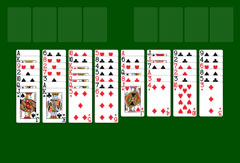
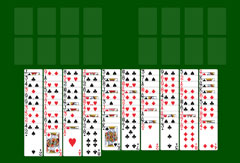
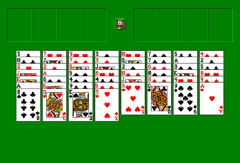
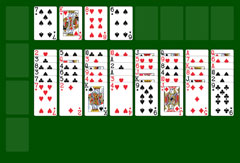
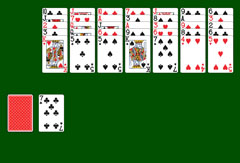
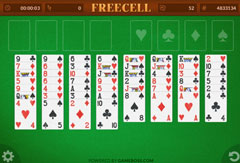
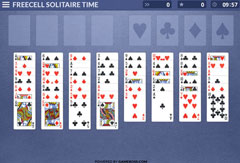
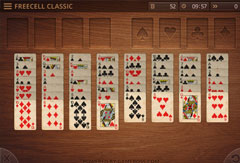
Eight columns are dealt at the start. The first four columns contain seven cards each; the remaining four contain six, for a total of 52 cards. Above the columns sit four foundation piles and four free cells. These free cells allow you to park individual cards temporarily while reorganizing the columns, and give the game its name.
Rules – How to Win at Freecell
To win Freecell, all 52 cards must be moved to the four foundation piles. Each pile corresponds to one suit (♥ ♠ ♦ ♣) and must be built in ascending order starting from the Ace: Ace, 2, 3, 4, 5, 6, 7, 8, 9, 10, Jack, Queen, King. When all four piles are complete, the game is won.
Cards that are blocking progress can be placed temporarily in one of the four free cells above the columns. Only one card fits in each free cell. The number of empty free cells affects how many cards you can move at once: you can move as many cards as there are empty free cells, plus one. If an empty column is also available, this number doubles. The doubling rule does not apply when you are moving cards onto an empty column itself; in that case only the free cells count.
Allowed moves
Cards on the tableau are stacked in descending order with alternating colors. The card you place must be one rank lower and a different color than the card it goes onto. For example, a 4 of Hearts can only be placed on a 5 of Spades or 5 of Clubs.
Example sequence: K♥ – Q♣ – J♦ – 10♠ – 9♦, and so on.
A valid sequence of cards in the correct order can be moved together, subject to the movement limit based on free cells and empty columns. An empty column can receive any card or sequence.
Features of Freecell
The game starts right away at normal difficulty. To play at a different level, open NEW GAME and choose it there: Easy suits new players or those who want a relaxed game; Normal suits regular players; Hard is for those who enjoy a challenge. If you want to play against the clock, switch on the TIME LIMIT in the same menu first and set the time.
In the NEW GAME menu the active difficulty is highlighted; clicking it starts a new game at the same level. "Restart" replays the current hand with the same card order. "Undo" reverses the last move; "Redo" restores it. "Hint" shows a possible next move. "Pause" pauses and resumes the game. The screen displays elapsed time and the number of moves made.
Similar Games
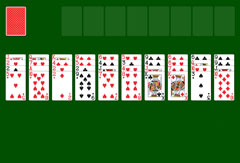
Eight Off is the closest relative of Freecell and a natural next stop for anyone who enjoys the game. Like Freecell it uses columns and free cells for temporary storage, but with eight cells instead of four and stricter rules about which cards may fill an empty column. Baker's Freecell changes the movement rule from alternating colors to same suit, which sounds like a small adjustment but completely changes how you think about building sequences.
Double Freecell scales the game up to two decks and ten columns, keeping the same rules but demanding significantly more forward planning. Windows XP Freecell recreates the original Windows version exactly and is a good reference point for how the game looked and felt before modern adaptations changed some of the conventions.
Frequently Asked Questions
📌 Can I really play Freecell for free?
Yes, Freecell, Solitaire and Solitaire Spider are all free to play with no registration required. Simply visit the site, choose a game, and start playing.
📌 What other games are available?
Patience Solitaire, Solitaire Spider and Freecell are the three main games, each available in multiple variants including Windows XP editions, time-limited modes, and more. Browse the full game list to find the version that suits you.
📌 What do I need to do to win at Freecell?
Move all 52 cards to the four foundation piles, one per suit, from Ace up to King. Arrange the tableau columns in alternating colors and descending order to reach the cards you need. Use the free cells to temporarily park cards that are in the way.
📌 In what order must I stack the cards?
Foundation piles are built in ascending order by suit: Ace, 2, 3, 4, 5, 6, 7, 8, 9, 10, Jack, Queen, King. On the tableau, cards are placed in descending order with alternating colors. A black Seven can receive a red Six or a sequence starting with a red Six. Cards that are blocking progress can be moved temporarily to the free cells.
📌 What can I do if I am stuck?
Use the free cells to park blocking cards and open up moves. Try undoing recent moves to explore different options. The Hint button suggests a possible next move. If no further progress is possible, start a new game.