




Spider Solitaire Vintage as a Browser Game
If you are looking for a truly challenging solitaire variant, Spider Solitaire is an excellent choice. You can select different difficulty levels and start playing immediately, with no download required. Simply launch the game directly in your browser and begin without any wait. You are not playing against other players, and your results remain strictly personal. The game does not require a high-performance graphics card. The cards used are reminiscent of an old-style skat deck, with a classic red back. The objective of the game is to sort the individual cards into strictly descending order.
Spider Solitaire Explained
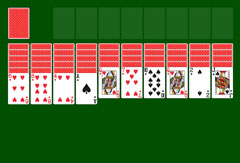
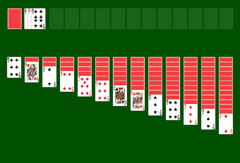
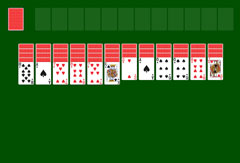
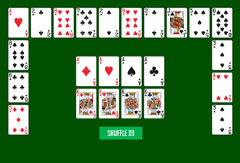
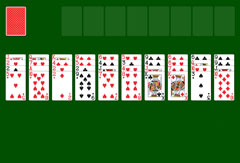
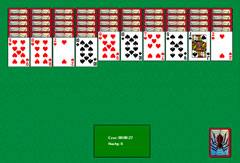
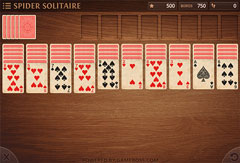
At the start of the game, the board displays ten columns of cards, most of which are face down. In the first four columns, five cards are hidden, while the remaining columns each contain four. The top card of each column is visible and ready to be organized. You can move already-ordered cards to other columns. Cards must be sorted in the following order: king, queen, jack, ten, nine, eight, seven, six, five, four, three, two, ace.
Depending on the selected difficulty level, the game uses one to four suits. In easy mode, you play only with spades. At intermediate difficulty, you must sort spades and hearts. Choosing the expert level also adds diamonds and clubs. In the top right of the screen, you can see the information panel: a countdown for bonus points, your current score, and the number of moves made. Above the card columns are eight empty slots for completed sequences. On the left, a face-down stack of cards is visible. When no more moves are possible, click this stack: ten new cards will be dealt, one to each column. If a column is empty, no new card can be added until another card has been moved there.
Spider Solitaire Menu Functions
Spider Solitaire Vintage offers various functions, all clearly structured and easy to use. You access the main menu by clicking the icon showing three horizontal bars. The following options are then available:
- Continue: resumes the game after a pause.
- New Game: starts a new game and lets you choose a different difficulty level.
- Restart: restarts the current game from the beginning.
- Enable Sound: lets you play with or without sound effects.
- More Card Games: opens a selection of other browser games if you want to try something different.
Useful Game Information
In the bottom left of the game board, you will see an X icon. Unlike in many games, it does not quit the game. Selecting it opens the main menu and pauses the game. In the bottom right, a circular arrow button lets you undo your last move. It is not possible to undo multiple consecutive actions. Using this function does undo the last move, but it is still counted as an additional move and is taken into account in the calculation of your final score. If you can no longer find a solution or no action is possible, Spider Solitaire Vintage does not explicitly indicate a defeat. In that case, simply start a new game.
More Spider Solitaire Variants and Other Games
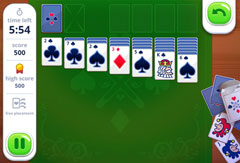
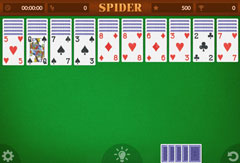
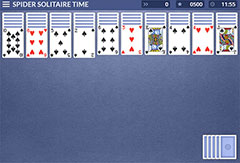
Spider Solitaire Vintage is one of several Spider Solitaire variants available on SolitaireSite.com. If you are looking for a version with a time challenge, try Spider Solitaire Time Limited. For the classic experience, Spider Solitaire Classic 1.0 and Spider Solitaire are always available, free and without download, directly in your browser.