



Windows XP Solitaire – Play Online for Free
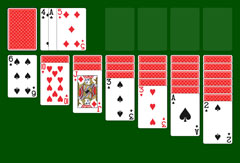
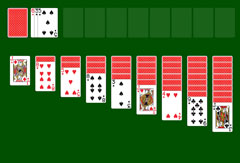
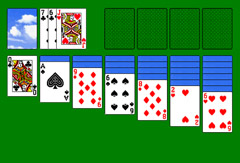
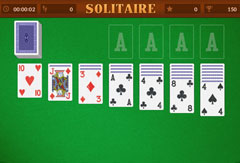
A real treat for fans of the card games that came pre-installed with older Windows operating systems: our Windows XP Solitaire brings useful new features to the screen in a familiar interface. Like all classic Klondike Solitaire games, the Windows XP version is played with a standard 52-card deck. Twenty-eight cards are laid out to form the tableau, while the remaining 24 make up the Stock.
The Objective
At the end of the game, the Stock and the tableau must be sorted into four foundation piles. The real highlight of Windows XP Solitaire is, of course, the spectacular winning animation.
Begin by checking whether you can rearrange cards in the columns. Every freed face-down card is then turned over. The four Aces form the base of the foundation piles. The following rules apply:
- In the columns, a red card must always follow a black card, and vice versa.
- Cards are sorted without gaps, in descending order.
- The foundation piles consist of a single suit, built in ascending order.
- Only face-up cards can be played.
Clicking the Stock reveals one or three cards depending on the chosen variant. In the three-card variant, all three are visible but only the top card can be played. The Stock can be cycled through as many times as you like.
The game is won when all foundation piles are complete with Kings on top, and cards cascade across the screen in the iconic winning animation. If the Stock offers no suitable cards after several passes and no moves remain, start a new game or restart the current one.
How It Works
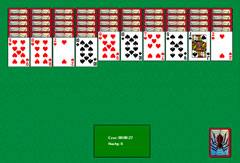
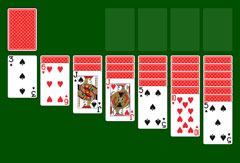
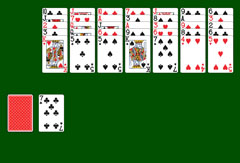
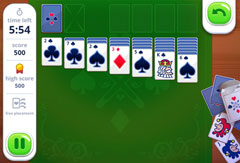
A bright green felt, a cobalt blue frame, a gray menu bar and sharp-cornered cards: this can only be Windows XP Solitaire. The start screen lets you choose between the one-card or three-card variant, each in three difficulty levels: easy, normal, or hard. Twenty-eight cards are spread across seven columns, with 21 face down. The Stock sits to the upper left, with four marked foundation spaces to its right.
The menu bar gives you several options:
- Switch variant by clicking "1 Card" or "3 Cards".
- Start another game at the same difficulty level.
- Return to the main menu via "New Game".
- Restart the current game.
- Undo or redo individual moves.
- Click "Deck" to choose a different card back design.
- Get a hint or take a pause.
At the bottom of the window you can see elapsed time, your move count, the cards remaining in the Stock, and the number of passes through it.
Tips for Windows XP Solitaire
The strategy for Windows XP Solitaire is the same as for any other edition of Solitaire. Here are two tips to get you started:
Tip 1: Every Ace and its matching Two can go straight to the foundation. For all other top cards, first check whether they are still needed for rearranging before moving them up.
Tip 2: Kings block columns. Clear one or two columns as early as possible so that blocking Kings do not become a problem later in the game.