


Windows XP Freecell – Play Online for Free
This Windows XP version of the card game is not entirely vintage: although official support for the operating system ended in 2014, Windows XP still runs on millions of computers today, and this version of Freecell remains one of the most searched-for card games online.
The Most Popular Solitaire Variant for 20 Years
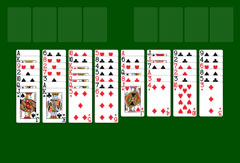
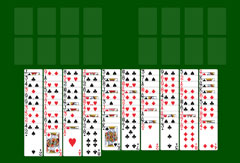
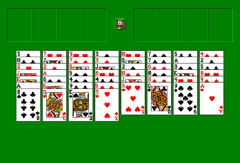
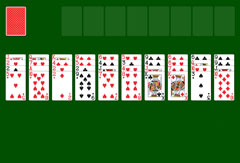
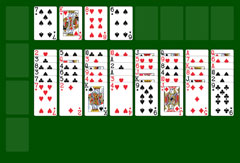
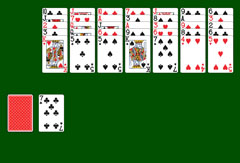
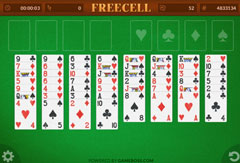
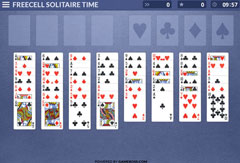
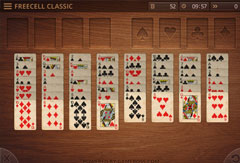
The game is played with a standard 52-card deck. To trigger the famous winning animation, you must solve the tableau completely by sorting all cards into four foundation piles. All 52 cards are laid face up across four columns of seven and four columns of six, overlapping each other. Above the columns are four free cells, which serve as temporary storage. The home cells to the right are where you build the ordered foundation piles.
Start by freeing one or more Aces and placing them in the home cells as the base for each foundation pile. Once placed, build sequences of a single suit from Ace up to King. All fully visible cards can be played: those at the bottom of columns and those sitting in the free cells. Rearrange them by placing a black card on a red card in descending order, and vice versa. For example, the King of Spades is followed by a Queen of Hearts or Diamonds, then a Jack of Spades or Clubs, and so on.
Under certain conditions you can move a sequence of cards in one step. The rule that only one card can technically move at a time still applies, but connected cards can be rearranged together if they could also be played individually via the free cells and empty columns.
As soon as the last card lands on its foundation pile, the most iconic Windows animation begins: countless cards cascade across the screen. The game is lost when no further moves are possible.
Playing Windows XP Style Freecell
A small pop-up window launches the game and offers a choice between Easy, Normal, and Hard difficulty. The classic Windows layout: 52 cards across eight columns, four empty free cells at the top left, four home cells to the right, and a small king in the center watching your every move.
The menu bar lets you perform several actions during the game:
- Start a new game directly at the desired difficulty level.
- Restart the current game.
- Undo and redo moves.
- Get a hint.
- Take a pause.
At the bottom of the window you can see how many cards still need to be sorted, how long you have been playing, and how many moves you have made.
Tips for Freecell XP
Players familiar with the classic Windows Freecell will feel right at home. If you are new, here are two things to focus on:
Tip 1: Always think a few moves ahead and keep as many free cells open as possible, or free them up quickly. A blocked free cell severely limits your options.
Tip 2: Empty columns are extremely valuable. Do not hesitate to place a sequence of cards in an empty column, especially if it starts with a King.