
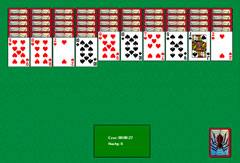
Play Free Solitaire in Your Browser
You can play Klondike Solitaire for free directly in your browser. A game is won when you manage to place all cards on the correct foundation slots before the timer runs out. If you get stuck, you can restart at any time. You can also choose your preferred difficulty level before you begin.
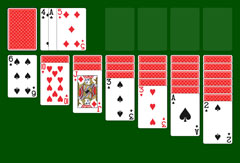
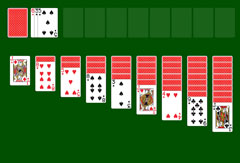
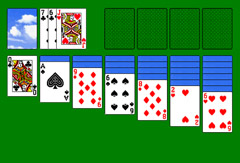
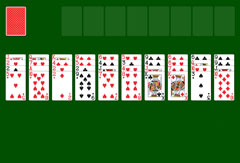
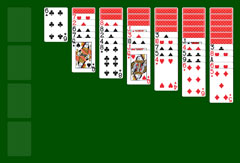
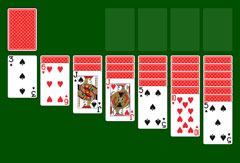
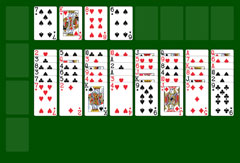
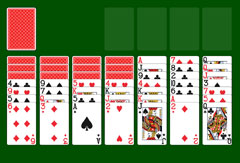
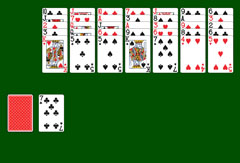
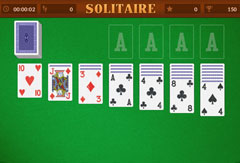
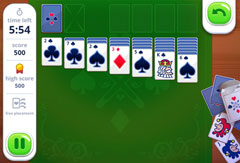
On the green board, you see seven columns of cards to organize. From left to right, the number of face-down cards increases, while the top card of each column is face up. You must sort the cards in descending order, always alternating red and black: from King to Queen, Jack, then the numbered cards down to the Ace. Above the columns sits the stock with its discard pile, and to the right are four empty foundation slots. The stock comes into play when no more moves are possible. If you chose "1 card draw" at the start, one card is revealed and placed on the adjacent discard pile.
Clicking "1 card draw" again shows a red smiley with "3 card draw". Selecting that at the start activates the harder mode, in which three cards are always revealed side by side and can be played from right to left. When the stock is exhausted, click it again to cycle through the remaining cards. On the left of the screen, a timer counts down. If it reaches zero before all cards are placed, the game is lost. Under "Score" you can see your current total, and your best score is saved as long as the browser window stays open. Clicking the two-bar button pauses the game and opens the settings. To resume, click "Resume". The timer is paused while you are in the menu.
Menu Options for Time Limited Solitaire
To restart because time ran out or you are stuck, select "Restart" from the main menu. Sound effects can be toggled on or off from there as well. Sounds play when you move or draw cards.
The time limit is always six minutes, regardless of the chosen game mode. The number of points you earn varies by difficulty. If you want to start fresh with different settings, choose "Quit". Selecting "Restart" takes you back to the beginning of the current game immediately. There is no notification when no moves are possible, so it is up to you to check and launch a new game from the main menu once the timer runs out.